
दस्तावेज़ीकरण
AI-संचालित सुविधाओं के साथ इंटरैक्टिव flipbook बनाने, प्रबंधित करने और साझा करने के लिए आपको जो कुछ जानना है।
1. परिचय
Flipbook Viewer एक परिष्कृत डिजिटल दस्तावेज़ प्रस्तुति प्रणाली है जो स्थिर दस्तावेज़ों को engaging, इंटरैक्टिव पढ़ने के अनुभव में बदलती है। आधुनिक वेब ब्राउज़रों के लिए बनाई गई, यह ब्रोशर, रिपोर्ट, प्रस्तुतियों और प्रकाशनों जैसे बहु-पृष्ठ दस्तावेज़ों को प्रदर्शित, नेविगेट और इंटरैक्ट करने का seamless तरीका प्रदान करती है।
यह दस्तावेज़ीकरण buildanyflipbook.com पर लागू Flipbook Viewer की सभी सुविधाओं को कवर करता है, जिसमें यूजर इंटरफ़ेस, नेविगेशन नियंत्रण, पहुंच सुविधाएं और AI-संचालित दस्तावेज़ इंटरैक्शन क्षमताएं शामिल हैं।
💡 Build Any Flipbook पर नए हैं? पहले मुफ्त खाता बनाएं, फिर viewer को क्रियाशील देखने के लिए अपना पहला PDF अपलोड करें!
2. इंटरफ़ेस अवलोकन
Flipbook Viewer इंटरफ़ेस तीन मुख्य क्षेत्रों में विभाजित है: बाईं ओर पेज थंबनेल पैनल, केंद्र में मुख्य दस्तावेज़ देखने का क्षेत्र, और ऊपर टूलबार। यह लेआउट पढ़ने के क्षेत्र को maximize करते हुए intuitive दस्तावेज़ नेविगेशन प्रदान करता है।
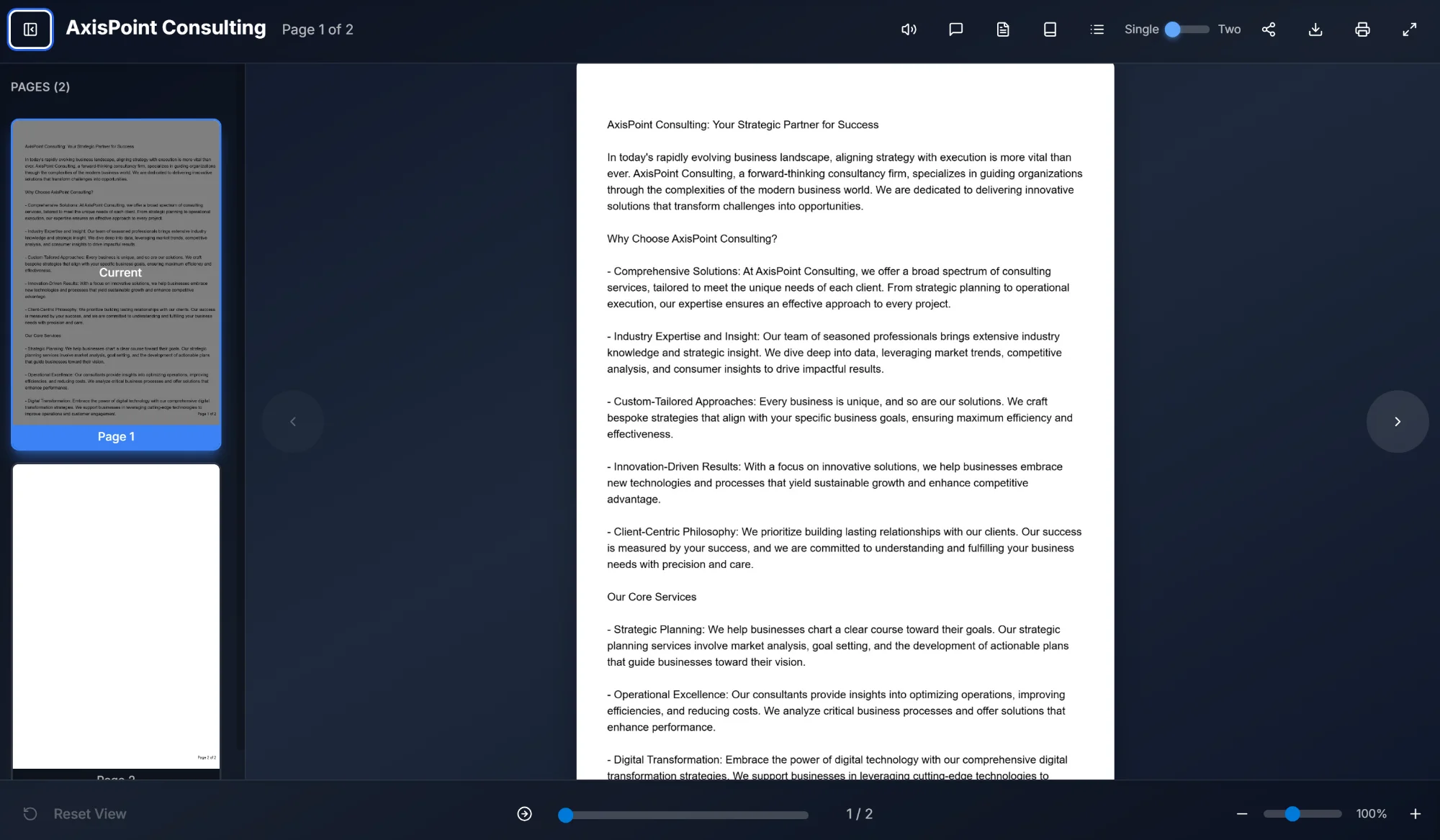
2.1 दस्तावेज़ हेडर
हेडर बार में दस्तावेज़ शीर्षक (जैसे "AxisPoint Consulting") और वर्तमान पेज संकेतक जो दस्तावेज़ में आपकी स्थिति दिखाता है (जैसे "Page 1 of 2") सहित आवश्यक दस्तावेज़ जानकारी प्रदर्शित होती है। यह जानकारी आसान संदर्भ के लिए हमेशा दिखाई देती है।
2.2 पेज थंबनेल पैनल
इंटरफ़ेस के बाईं ओर स्थित, पेज थंबनेल पैनल सभी दस्तावेज़ पृष्ठों का visual अवलोकन प्रदान करता है। मुख्य सुविधाएं:
- Visual पेज preview: त्वरित पहचान के लिए प्रत्येक पेज के miniature representation
- वर्तमान पेज संकेतक: वर्तमान में देखा जा रहा पेज नीली border और "Current" लेबल से highlight होता है
- पेज लेबल: प्रत्येक thumbnail अपना पेज नंबर दिखाता है (जैसे "Page 1", "Page 2")
- क्लिक नेविगेशन: सीधे उस पेज पर जाने के लिए किसी भी thumbnail पर क्लिक करें
- पेज संख्या display: पैनल header कुल पेज संख्या दिखाता है (जैसे "PAGES (2)")
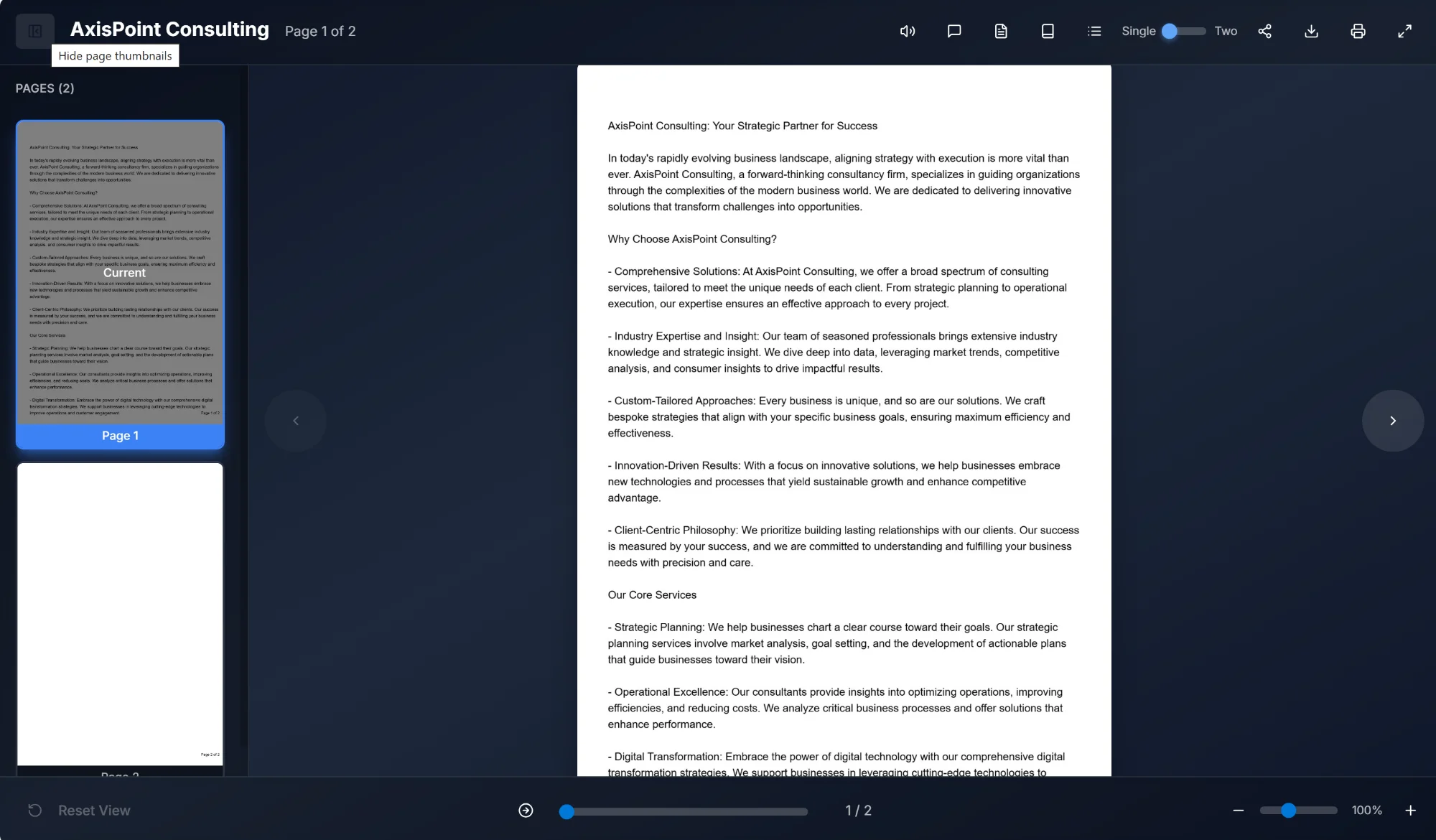
इंटरफ़ेस के ऊपरी बाएं कोने में "Hide page thumbnails" बटन से thumbnail पैनल toggle किया जा सकता है। पैनल छुपाने से मुख्य दस्तावेज़ view के लिए अधिक screen space मिलता है।
3. टूलबार सुविधाएं
viewer के ऊपर टूलबार सभी major features और controls तक पहुंच प्रदान करता है। बाएं से दाएं, टूलबार में निम्नलिखित elements शामिल हैं:
| सुविधा | विवरण |
|---|---|
| टेक्स्ट टू स्पीच | synthesized speech से दस्तावेज़ content को जोर से पढ़ता है। accessibility और hands-free reading के लिए उपयोगी। |
| दस्तावेज़ के साथ चैट | दस्तावेज़ content के बारे में प्रश्न पूछने और intelligent responses प्राप्त करने के लिए AI-संचालित chat interface खोलता है। |
| सारांश | दस्तावेज़ के key points और main content का AI-संचालित summary generate करता है। |
| शब्दकोश | दस्तावेज़ में मिले key terms और concepts की definitions दिखाता है। |
| FAQ | दस्तावेज़ content पर आधारित AI-generated frequently asked questions और answers दिखाता है। |
| विषय सूची | त्वरित navigation के लिए clickable page references के साथ AI-generated structured table of contents दिखाता है। |
| क्विज़ | दस्तावेज़ content की comprehension test करने के लिए interactive AI-generated quiz खोलता है। |
| खोज | विशिष्ट content जल्दी खोजने के लिए पूरे दस्तावेज़ में full-text search enable करता है। |
| दृश्य मोड टॉगल | विभिन्न reading preferences के लिए Single page view और Two-page spread view के बीच switch करता है। |
| शेयर | LinkedIn, X (Twitter), Facebook पर share, link copy, या PDF link copy के विकल्प प्रदान करता है। |
| डाउनलोड | original document file आपके device पर download करता है। |
| Flipbook प्रिंट करें | flipbook print करने या PDF के रूप में save करने के लिए browser का print dialog खोलता है। |
| फुलस्क्रीन में जाएं | immersive, distraction-free reading के लिए viewer को पूरी screen भरने के लिए expand करता है। |
3.1 दृश्य मोड टॉगल
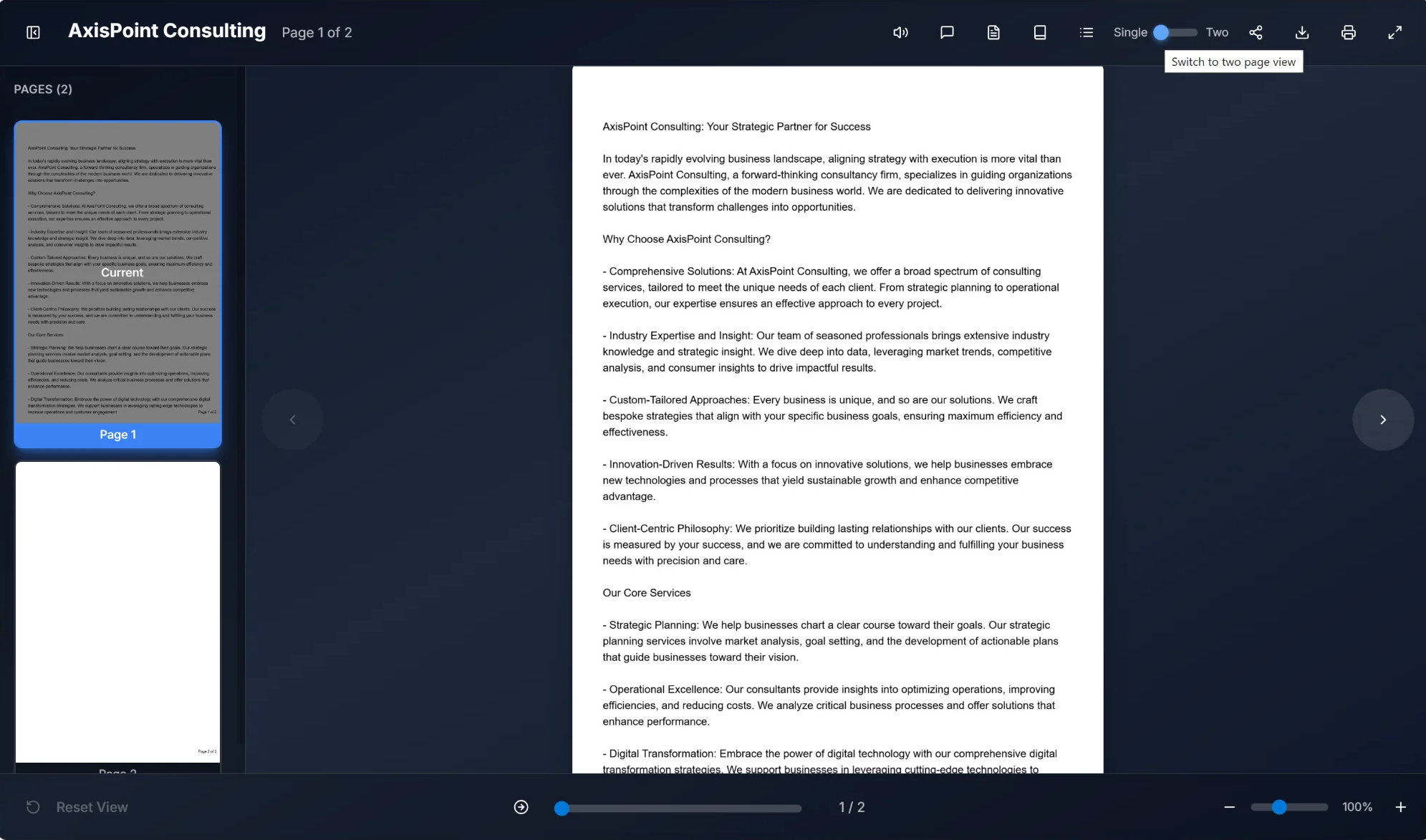
view mode toggle single page और two-page spread views के बीच switch करने देता है। यह toolbar में है और sliding selector के साथ "Single" और "Two" options दिखाता है। hover पर "Switch to two page view" tooltip उपलब्ध action दर्शाता है।
3.2 शेयर सुविधा
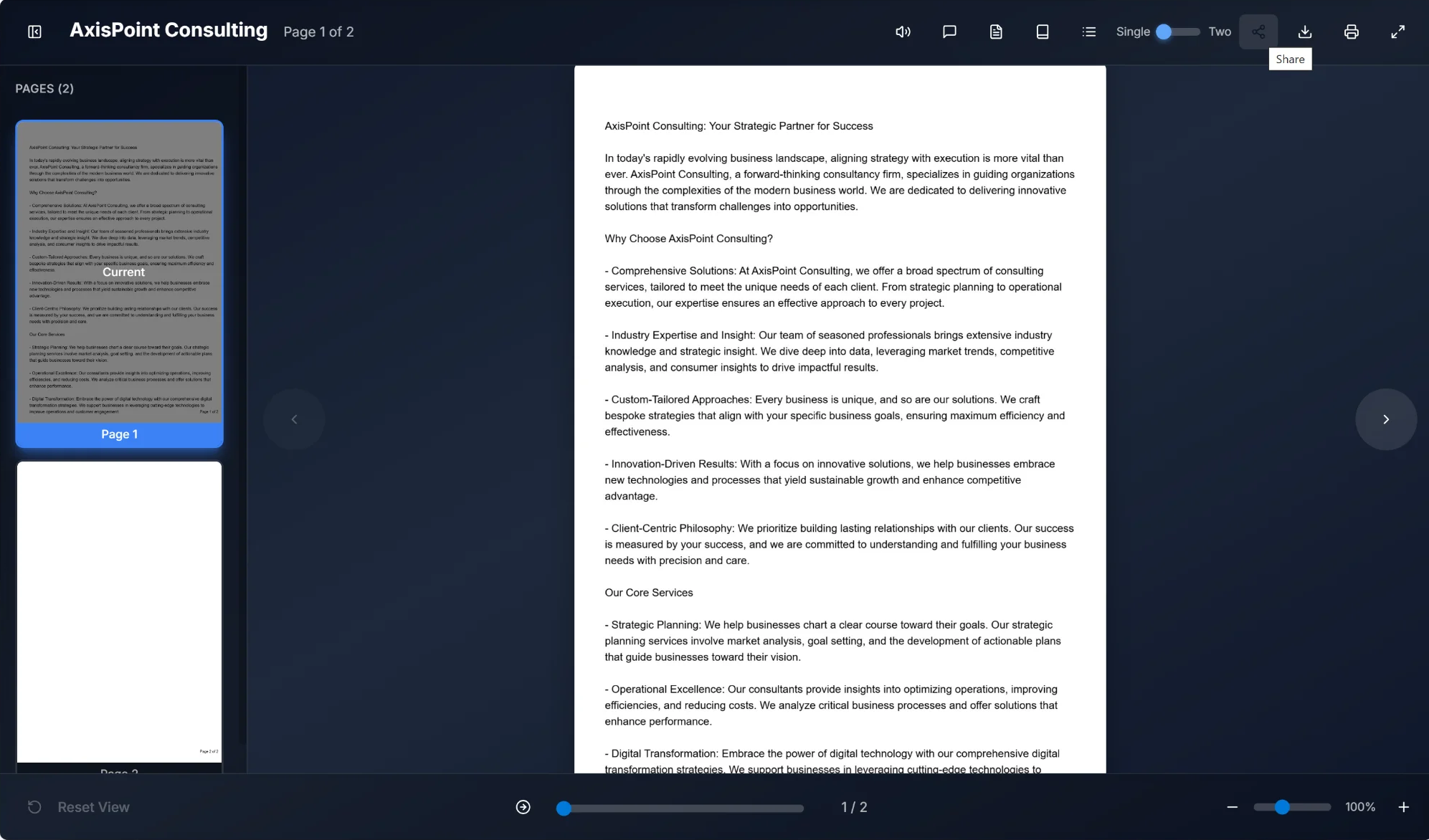
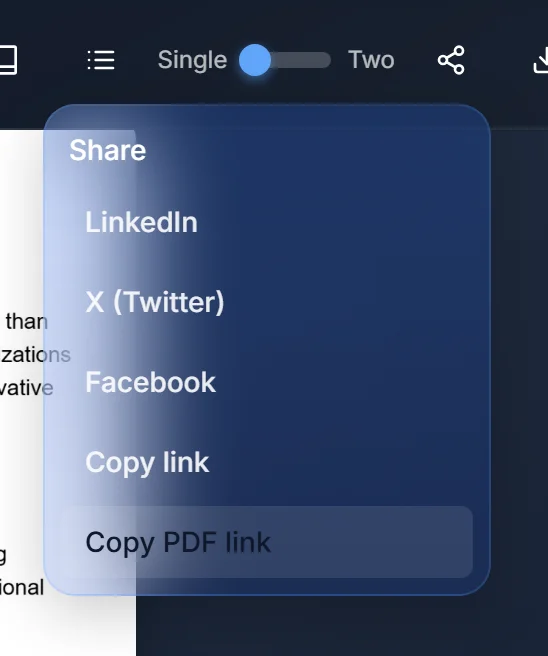
Share feature flipbook distribute करने के कई विकल्प प्रदान करता है:
- LinkedIn: सीधे LinkedIn feed पर share करें या message के रूप में भेजें
- X (Twitter): flipbook link अपनी X timeline पर post करें
- Facebook: Facebook wall या Messenger में share करें
- Link copy: manual sharing के लिए flipbook URL clipboard पर copy करें
- PDF link copy: download sharing के लिए PDF file का direct link copy करें
3.3 डाउनलोड सुविधा
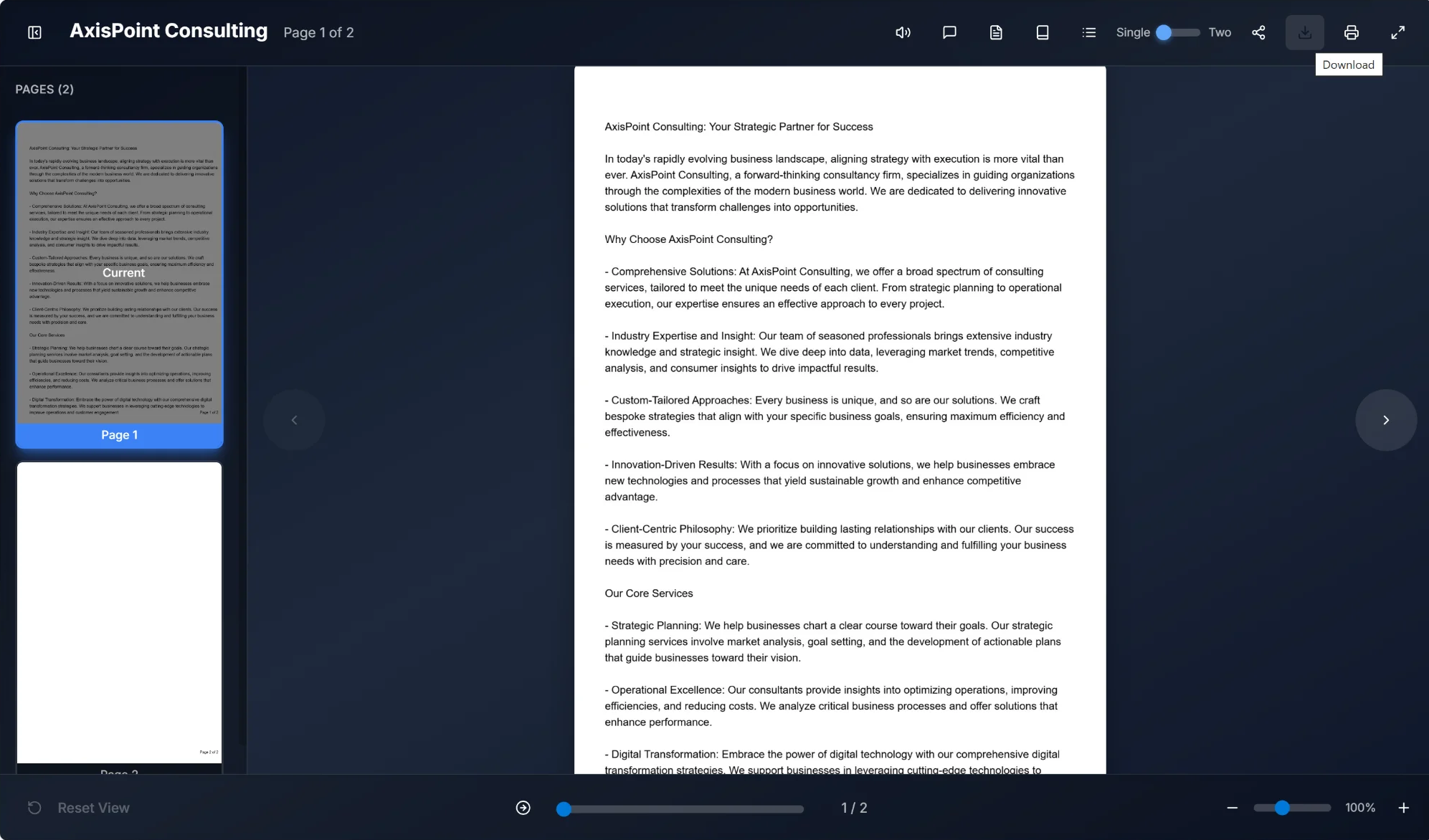
Download button users को document file local device पर save करने देता है। click पर browser original document file download शुरू करेगा। offline viewing या दूसरे apps में document use करने के लिए उपयोगी।
3.4 Flipbook प्रिंट सुविधा
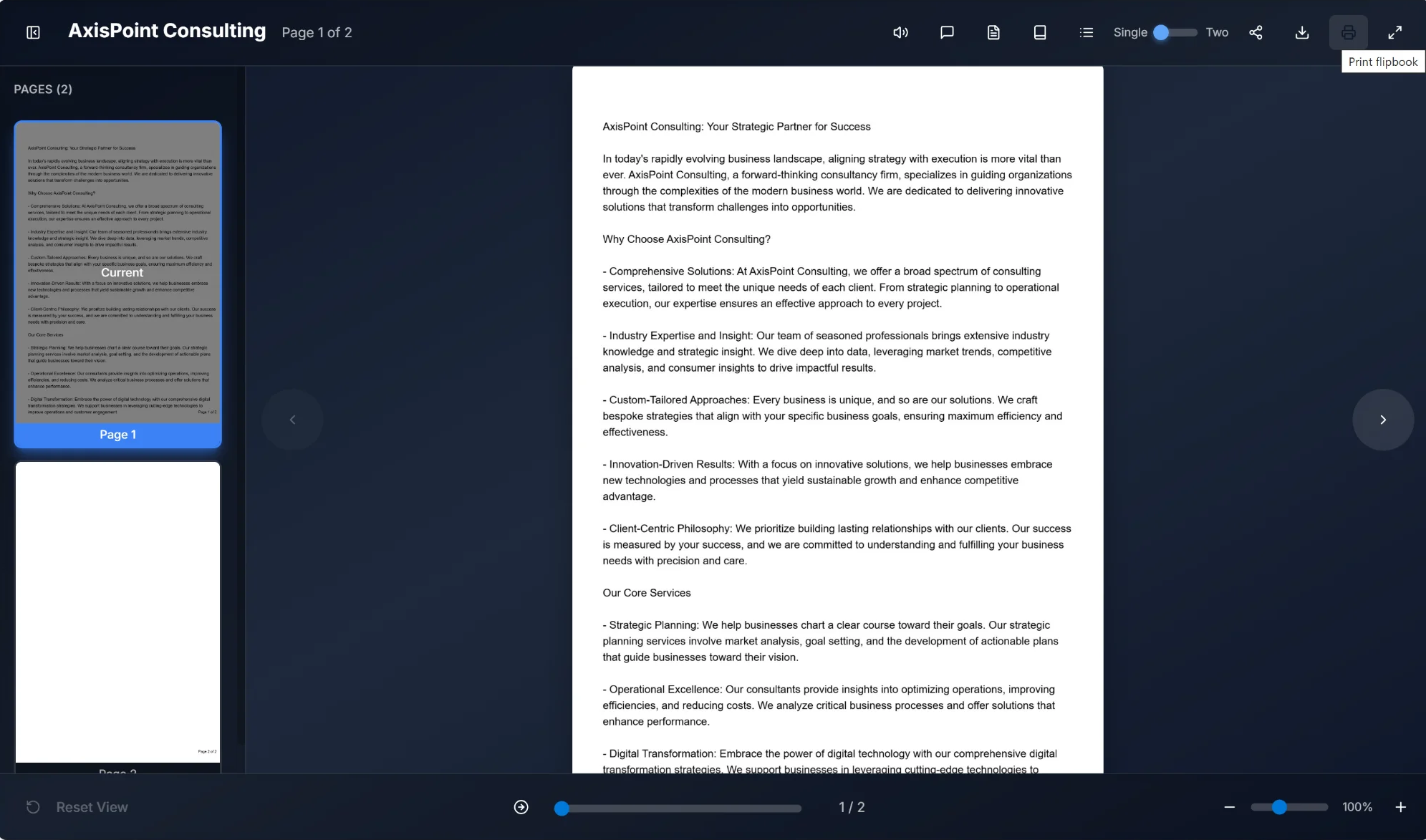
Print Flipbook feature browser का native print dialog खोलता है, document print या PDF save करने देता है। specific pages select, print settings adjust, और preferred printer या PDF output चुन सकते हैं।
3.5 फुलस्क्रीन मोड

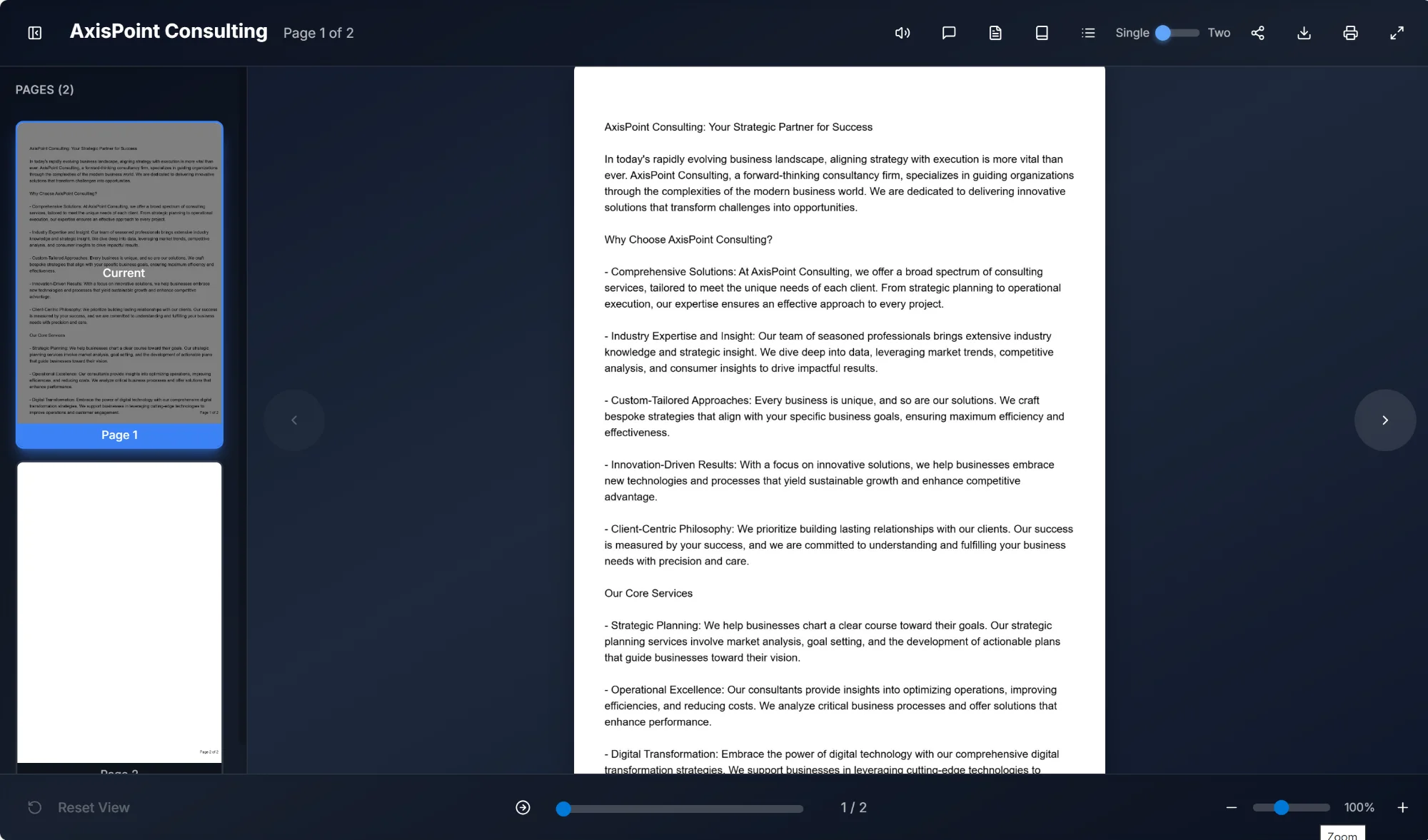
Fullscreen mode browser chrome और system UI elements हटाकर reading experience maximize करता है। Fullscreen mode में:
- Document पूरी screen भरता है
- सभी toolbar features accessible रहते हैं
- Page thumbnails panel अभी भी available है
- Exit के लिए Escape दबाएं या fullscreen button फिर click करें
- Zoom slider नीचे दाएं "Zoom" tooltip दिखाता है
4. AI सुविधाएं
Flipbook Viewer में कई AI-संचालित features हैं जो reading experience enhance करती हैं और document interaction को अधिक intelligent और efficient बनाती हैं।
4.1 टेक्स्ट टू स्पीच
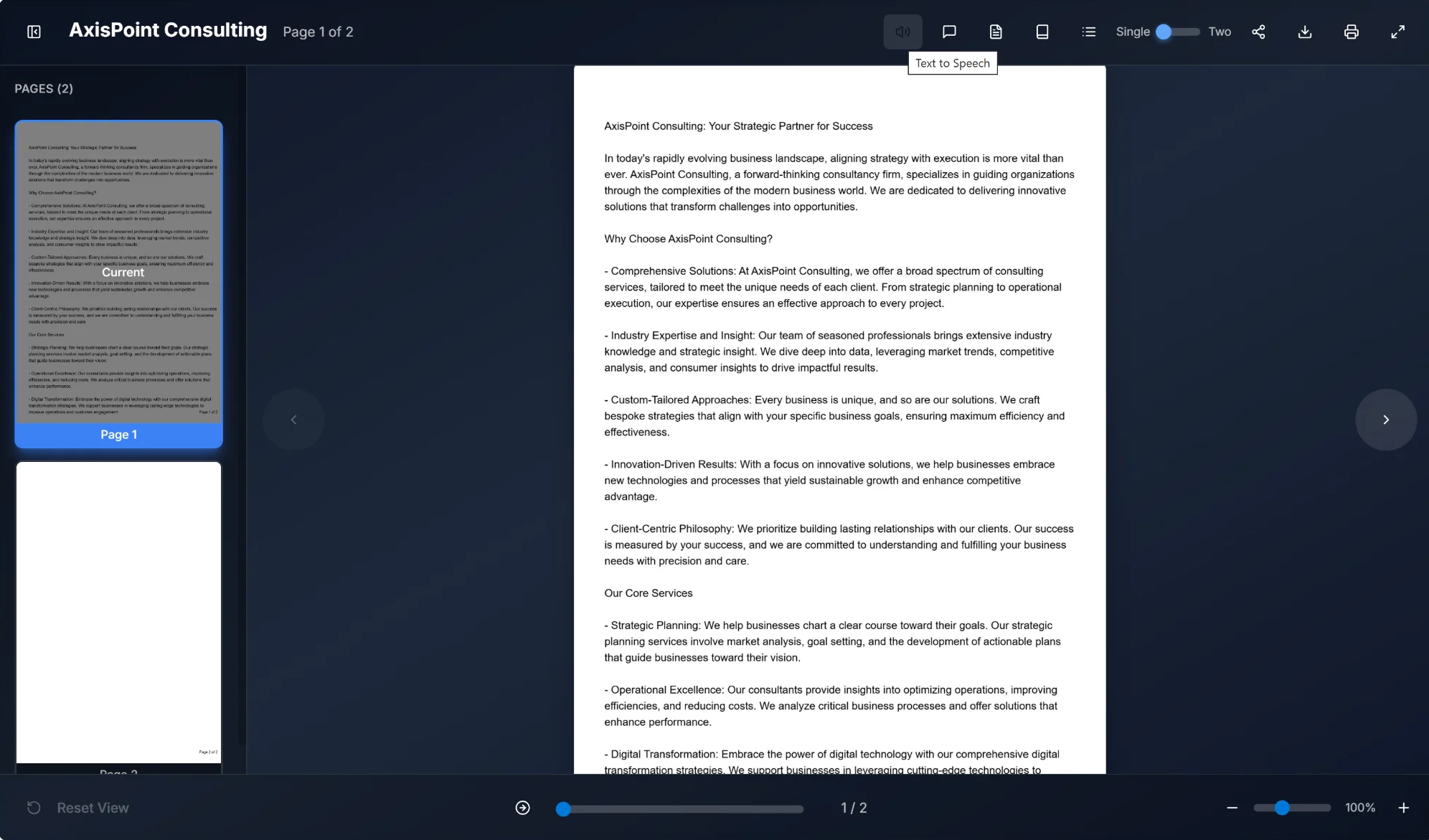
Text to Speech feature document text को natural-sounding audio में convert करता है। यह accessibility feature विशेष रूप से उपयोगी है:
- Audio content से लाभ उठाने वाले visually impaired users
- Multitasking scenarios जहां reading संभव नहीं
- Auditory reinforcement के माध्यम से learning और comprehension
- Long documents जहां listening eye strain कम करता है
लागत: 1,000 characters पर 10 credits (£0.10 per 1,000 chars)
4.2 दस्तावेज़ के साथ चैट
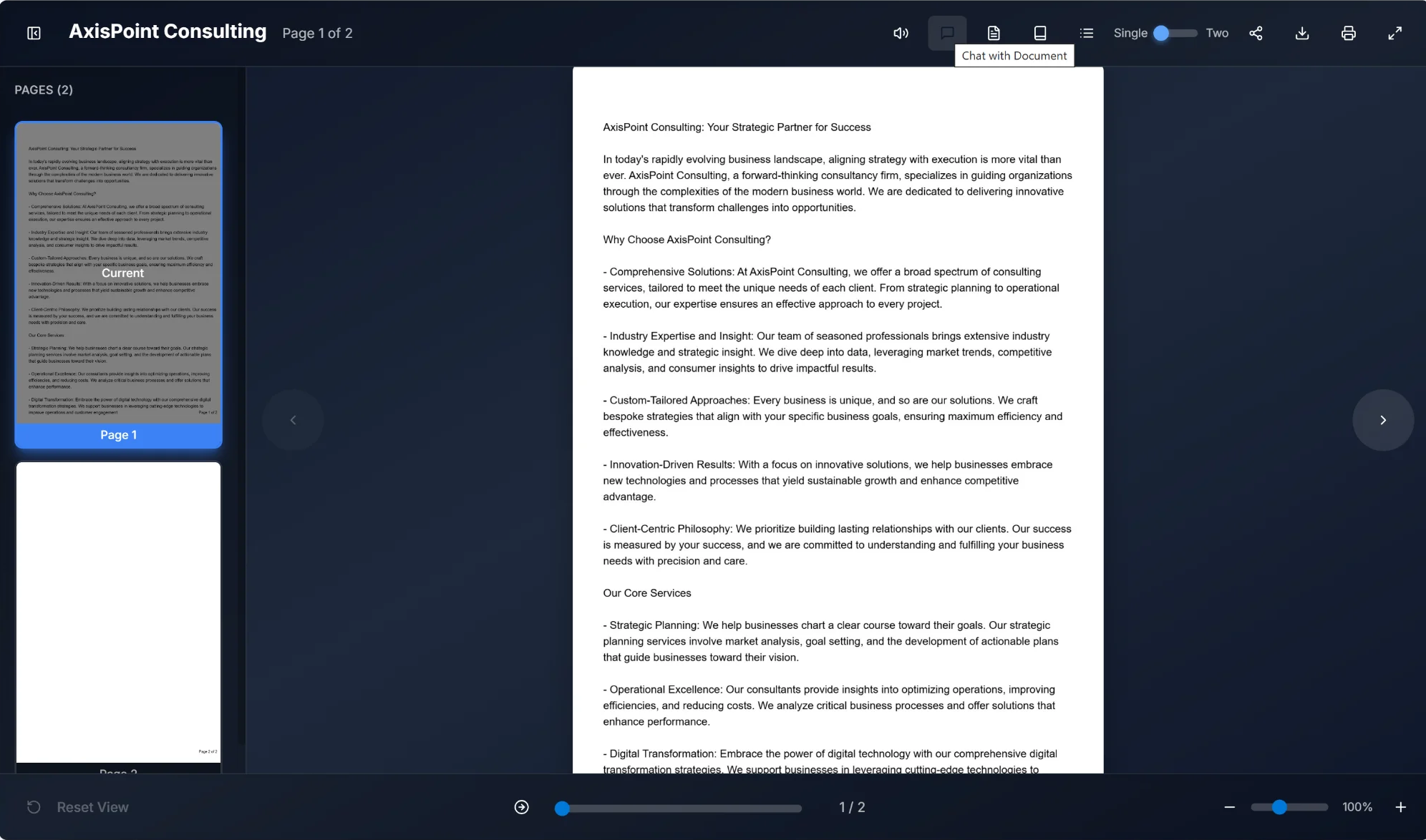
Chat with Document feature AI technology से document content के साथ conversational interaction enable करता है। Users:
- Document content के बारे में specific questions पूछ सकते हैं
- Complex topics या terminology पर clarification request कर सकते हैं
- पूरा document पढ़े बिना specific information extract कर सकते हैं
- Document context पर based instant answers प्राप्त कर सकते हैं
लागत: 10 credits per message (£0.10 per message)
4.3 सारांश
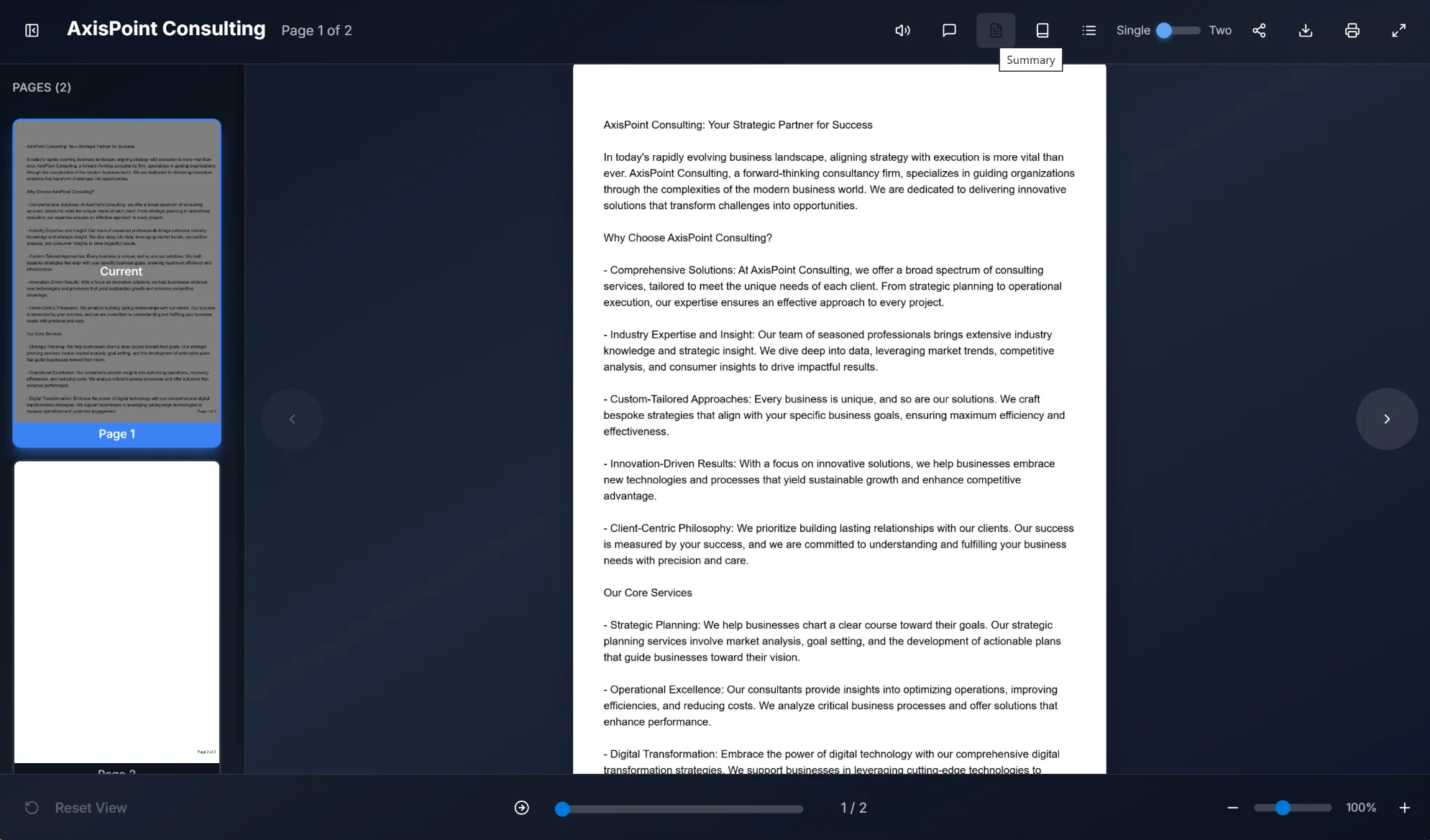
Summary feature document analyze करने और main points का concise overview generate करने के लिए AI use करता है। Ideal है:
- Detailed reading से पहले quick document assessment
- Document scope और key messages समझना
- Meeting notes या executive briefings बनाना
- Lengthy documents की time-efficient review
लागत: Full document summary 50 credits (£0.50), page summary 25 credits (£0.25)
4.4 शब्दकोश
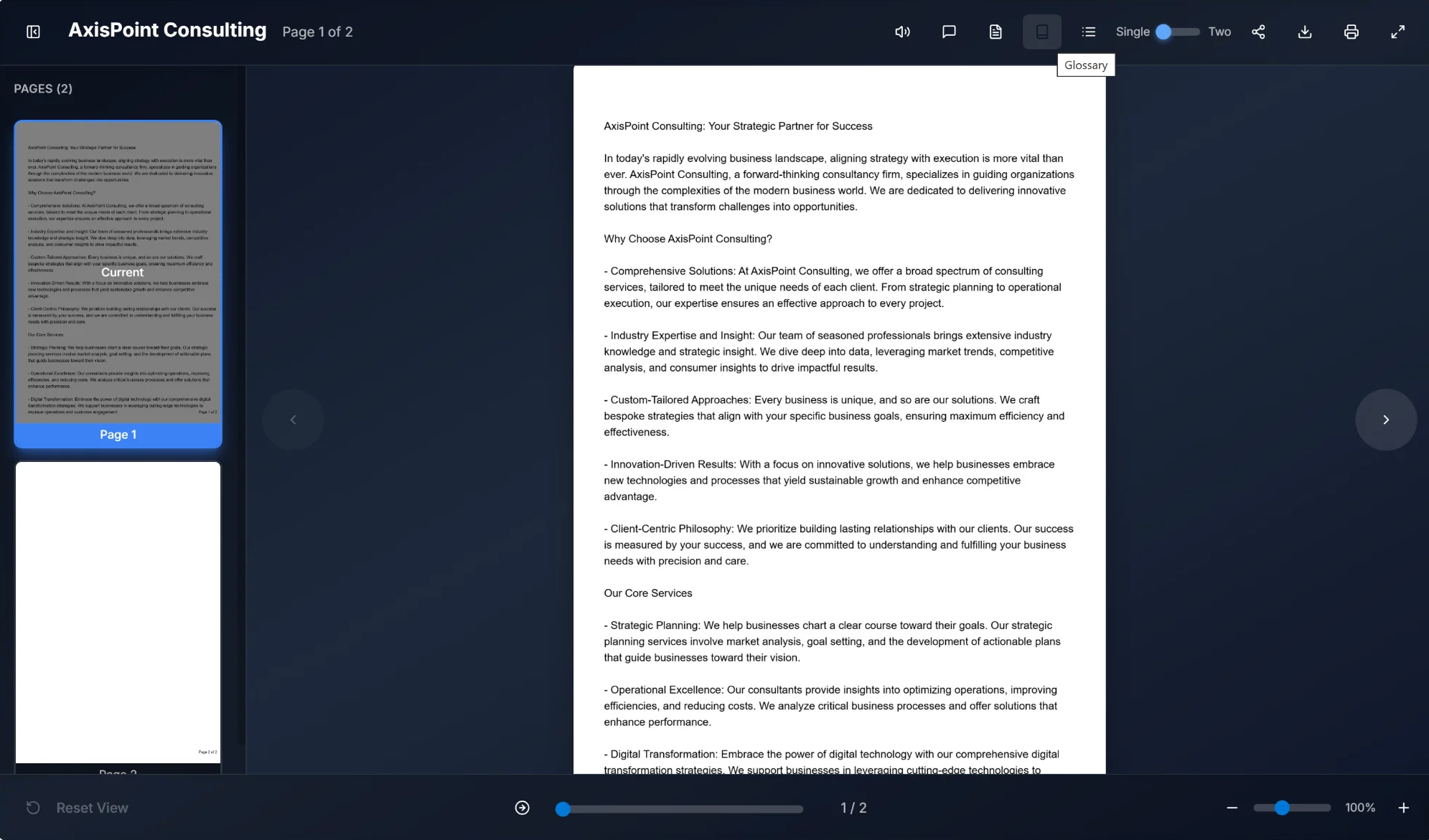
Glossary feature document में key terms, acronyms, specialized vocabulary automatically identify और define करता है। Benefits:
- External research बिना definitions तक quick access
- Document usage पर based context-aware explanations
- Technical या specialized content की enhanced comprehension
- Domain-specific material engage करने वाले non-expert readers का support
लागत: 25 credits per glossary generation (£0.25)
4.5 FAQ Generation
FAQ Generation feature document content पर based comprehensive frequently asked questions और answers list automatically create करता है। Readers की मदद:
- Common questions के answers जल्दी find करना
- Full document पढ़े बिना key concepts समझना
- Potentially confusing topics पर clarification
- सभी readers के लिए document accessibility improve करना
लागत: 25 credits per FAQ generation (£0.25, typically 8-12 Q&A pairs generate)
4.6 विषय सूची
Table of Contents feature document structure analyze करने और page references के साथ navigable index generate करने के लिए AI use करता है। Viewers किसी भी entry click करके directly उस section पर jump कर सकते हैं।
- Headings, sections, topics automatically identify
- Instant navigation के लिए clickable page references
- Document organization preserve करने वाली hierarchical structure
लागत: 20 credits per generation (£0.20)
4.7 क्विज़
Quiz feature document content पर based interactive knowledge tests generate करता है। Viewers multiple-choice questions से understanding test कर instant feedback प्राप्त कर सकते हैं।
- Configurable difficulty, question count, scoring
- Completion के बाद optional correct answer display
- Lead generation के लिए email collection
- Viewers optionally quiz parameters customize कर सकते हैं
लागत: 20 credits per quiz generation (£0.20)
4.8 खोज
Search feature viewers को document में specific content find करने देता है। Results matching text highlight करते हैं और relevant page पर one-click navigation allow करते हैं।
- सभी document pages में full-text search
- Page references के साथ highlighted matches
- Directly उस page पर jump करने के लिए किसी भी result click करें
💡 Note: Search के लिए extracted page text चाहिए। Text-based PDFs automatically indexed; scanned PDFs text extraction require (5 credits per page)।
4.9 AI क्रेडिट सिस्टम
AI features credits require करते हैं। £1 = 100 credits। यह pay-as-you-go model का मतलब है कि आप केवल actual use किए AI work के लिए pay करते हैं। Credits never expire और always roll over। Predictable billing prefer करने वाली teams के लिए optional monthly top-ups 30% off तक available। No contract, no lock-in। One click pause या cancel। हर charge से 48 hours पहले reminder भेजते हैं।
Feature के अनुसार Credit Costs
💡 Tip: AI credits never expire और various packages में purchase हो सकते हैं। Credits खरीदने के लिए Settings → Billing visit करें।
5.2 पेज पर जाएं सुविधा
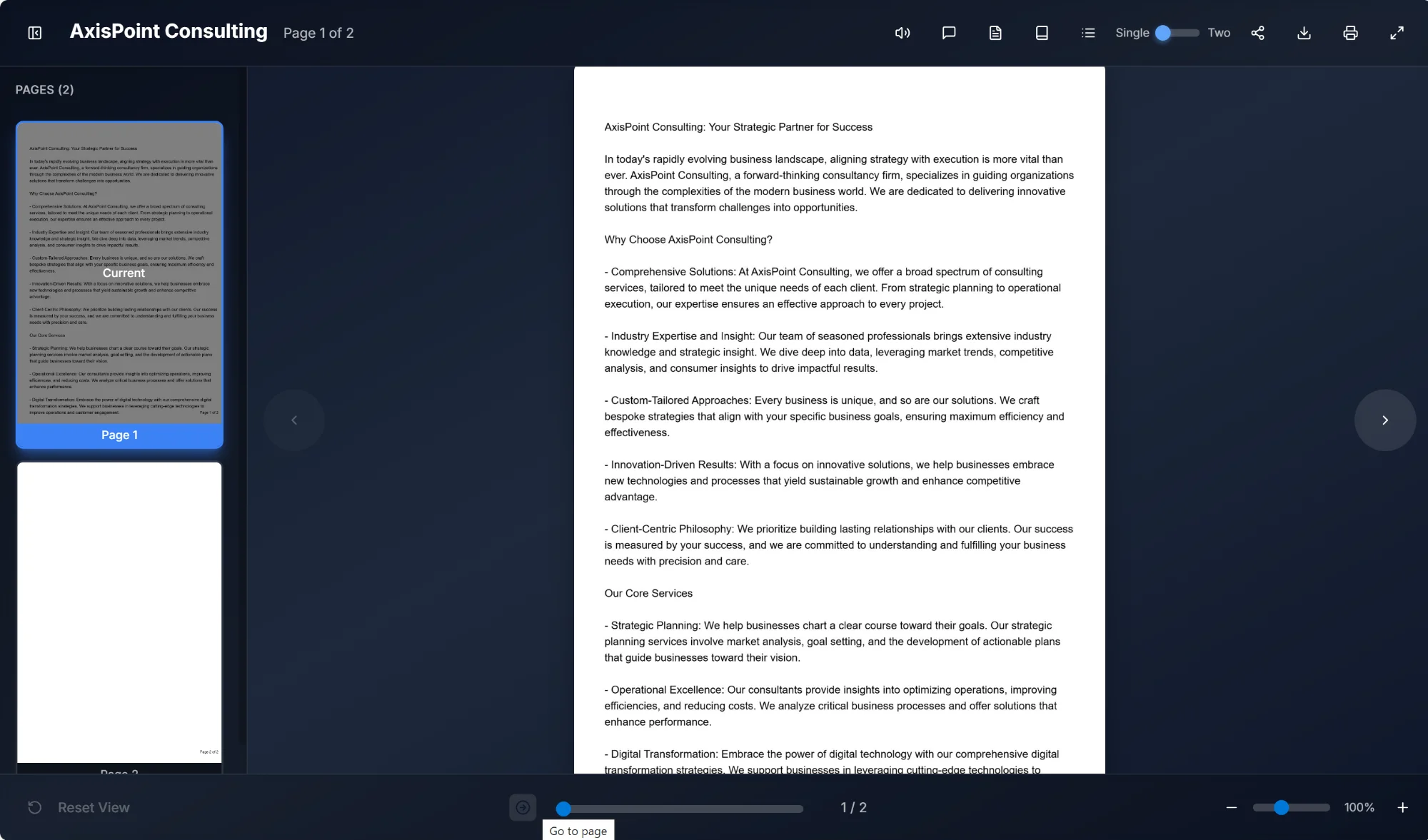
"Go to page" button viewer bottom पर progress bar के बगल में है। Click करने पर specific page number enter कर directly उस page पर jump कर सकते हैं। Longer documents में scrolling या clicking time-consuming हो तो especially useful।
5.3 दृश्य मोड
Viewer toolbar toggle switch से accessible दो distinct viewing modes support करता है:
Single Page View
एक समय में एक page display, smaller screens या detailed examination पर readability maximize। Toggle "Single" show करता है जब यह mode active।
Two-Page Spread
Adjacent दो pages side by side, physical book या magazine reading experience simulate। Toggle "Two" show करता है जब active।
5.4 ज़ूम नियंत्रण
Bottom-right corner में, zoom controls document magnification adjust करने देते हैं:
- Zoom In (+): Detailed viewing के लिए magnification increase
- Zoom Out (-): Overview के लिए magnification decrease
- Zoom Slider: Smoothly zoom level adjust करने के लिए slider drag करें
- Zoom Percentage: Current zoom level display (जैसे "100%")
- Reset View: Bottom left में, default zoom level और position return
6. तकनीकी विनिर्देश
6.1 समर्थित ब्राउज़र
Flipbook Viewer modern web browsers के लिए optimized:
- Google Chrome (version 90+)
- Mozilla Firefox (version 88+)
- Microsoft Edge (version 90+)
- Safari (version 14+)
- Opera (version 76+)
6.2 डिवाइस संगतता
Viewer fully responsive है और works across:
Desktop computers
Keyboard shortcuts के साथ full feature set
Tablets
Gesture support के साथ touch-optimized navigation
Mobile devices
Swipe navigation के साथ streamlined interface
6.3 दस्तावेज़ प्रारूप समर्थन
Flipbook Viewer display कर सकता है documents converted from:
- PDF files (.pdf)
- Microsoft Word documents (.docx, .doc)
- PowerPoint presentations (.pptx, .ppt)
- Image collections (.jpg, .png)
7. कीबोर्ड शॉर्टकट
निम्न keyboard shortcuts navigation efficiency enhance:
| Shortcut | Action |
|---|---|
| ← (Left Arrow) | Previous page |
| → (Right Arrow) | Next page |
| Home | Go to first page |
| End | Go to last page |
| + (Plus) | Zoom in |
| - (Minus) | Zoom out |
| F or F11 | Toggle fullscreen |
| Esc | Exit fullscreen |
8. पहुंच सुविधाएं
Flipbook Viewer accessibility mind में designed, features ensure सभी users document content effectively interact कर सकें।
- Screen Reader Compatibility: NVDA, JAWS, VoiceOver सहित popular screen readers full support
- Text to Speech: Document content के लिए built-in audio narration
- Keyboard Navigation: सभी features complete keyboard accessibility
- High Contrast Mode: System high contrast settings compatible
- Focus Indicators: Keyboard users clear visual focus states
- Tooltips: सभी toolbar buttons hover पर descriptive tooltips
9. मूल्य निर्धारण
Build Any Flipbook में subscription plans नहीं। Entire platform हर user free। AI documents पर work करवाना चाहें तभी credits pay। £1 = 100 Credits। Credits never expire।
हर feature no cost included। No watermarks, no flipbook limits, no feature gates।
- Unlimited flipbooks
- No watermarks
- Hot Zones, Back-Story, Next Actions, Test Your Knowledge
- White Label Designer
- Materials Library, Contact/Subscribe forms, Google Maps
- Analytics, embedding, sharing, custom CTA
- 2 GB storage to start
- Signup पर 500 free AI Credits
AI features power करने credits purchase। £5 से £500 packages, enterprise volumes contact us।
- 500 credits for £5
- 2,000 credits for £20
- 5,000 credits for £50
- 20,000 credits for £200
- 50,000 credits for £500
- Credits never expire
Storage total credit purchases पर automatically increases, never decreases।
- 2 GB free to start
- 5 GB at £20 spent
- 10 GB at £50 spent
- 25 GB at £200 spent
- 50 GB at £500+ spent
Team join करने पर सभी AI usage workspace credit pool से, team owner manage।
- सभी team members workspace credit pool share
- Team पर personal credits paused (deleted नहीं)
- Team leave करने पर personal credits resume
- केवल workspace owner credits purchase
- हर AI action team member name logged
Enterprise-grade features चाहने organisations के लिए।
- AI Avatar Videos
- Multi-language Flipbooks
- Custom Domain Mapping (docs.yourbrand.com)
- Digital Signatures
- Priority Google Indexing
- Priority Support
- 100 GB+ Storage
9.1 AI Credit Costs
| AI Feature | Credits per action | Approximate cost (GBP) |
|---|---|---|
| AI Chat (standard) | 10 credits | £0.10 |
| AI Chat (advanced) | 20 credits | £0.20 |
| Page Summary | 25 credits | £0.25 |
| Full Summary | 50 credits | £0.50 |
| Glossary | 25 credits | £0.25 |
| FAQ Generation | 25 credits | £0.25 |
| Table of Contents | 20 credits | £0.20 |
| Key Points | 50 credits | £0.50 |
| AI Quiz | 20 credits | £0.20 |
| Text-to-Speech | 10 credits / 1,000 chars | £0.10 / 1,000 chars |
| Grammar Check | 10 credits | £0.10 |
| Page Caption | 5 credits | £0.05 |
| Text Extraction (scanned PDFs) | 5 credits / page | £0.05 / page |
| AI OCR (re-scan page) | 5 credits / page | £0.05 / page |
| Collection Chat | 100 credits / message | £1.00 |
| Avatar Video | 250 credits | £2.50 |
Text Extraction
- Text-based PDFs: Free। Document से text layer directly read।
- Image-based / scanned PDFs: 5 credits per page। Page images से text read AI use। Canva designs, scanned documents, image exports common।
- सभी PDFs free thumbnail generation regardless।
- Edit mode से anytime text extraction retry।
- Text extraction credits use होने पर always notified।
नोट: Credits run out होने पर AI features pause, बाकी normal। Top up anytime resume। Credits never expire।
10. समस्या निवारण
Common issues और solutions:
Document not loading
Stable internet connection ensure। Page refresh या browser cache clear try। Issue persist document temporarily unavailable।
Text to Speech not working
Browser Web Speech API support check। Device audio muted नहीं ensure। Some browsers user interaction before audio require।
AI features unavailable
AI features active internet और sufficient AI credits require। Grayed out document AI interaction processed नहीं या service temporarily unavailable। Settings → Billing credit balance check।
Pages appear blurry
Zoom controls magnification increase use। Blurry remain source low resolution upload।
Fullscreen mode not working
Some browsers user interaction (click) before fullscreen require। Fullscreen button directly click। Keyboard shortcuts flipbook focus ensure।
Share options not appearing
Pop-up blockers site disabled ensure। Share button click share menu appear। Social sharing fail respective platform logged in check।
11. डैशबोर्ड और प्रबंधन
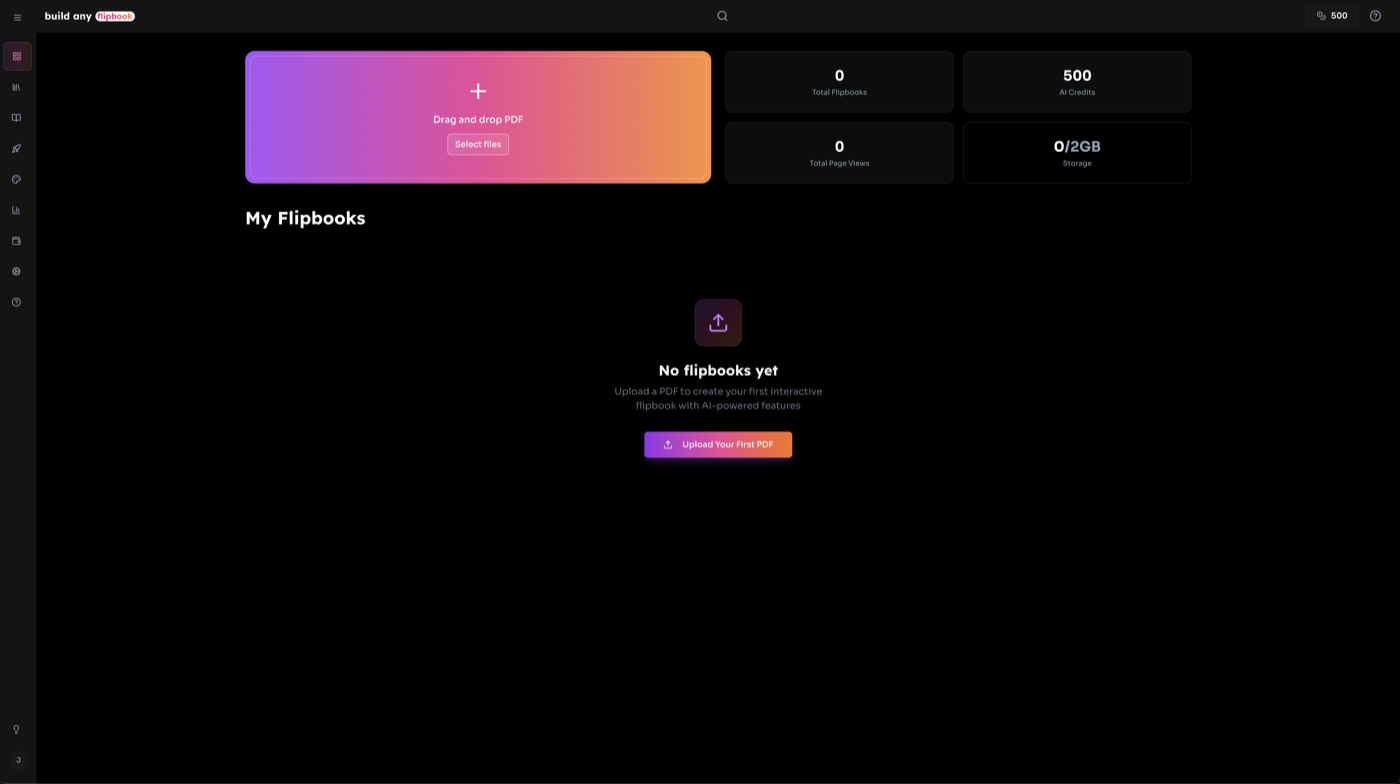
Dashboard सभी flipbooks manage central hub। Upload, overview statistics, quick access management tools।
Key Dashboard Features
- Gradient upload dropzone PDF drag drop या browse click
- Stats overview flipbook count, total views, AI credits, storage animated count-up
- Unified filter pill All/Private/Team filter, name search, date sort one control
- Grid & list views card grid और compact list switch
- Full-screen drag-and-drop screen anywhere PDF drag upload
11.1 Flipbook अपलोड करना
PDF upload flipbook create दो तरीके:
- Upload dropzone: Dashboard top gradient upload area click, या "Browse Files" button।
- Drag and drop: PDF screen anywhere drag। Full-screen overlay drop zone confirm। Release upload।
💡 Tip: Text-based PDFs free process। Scanned/image PDFs (Canva exports) AI text extraction 5 credits/page।
11.2 Flipbook Detail View
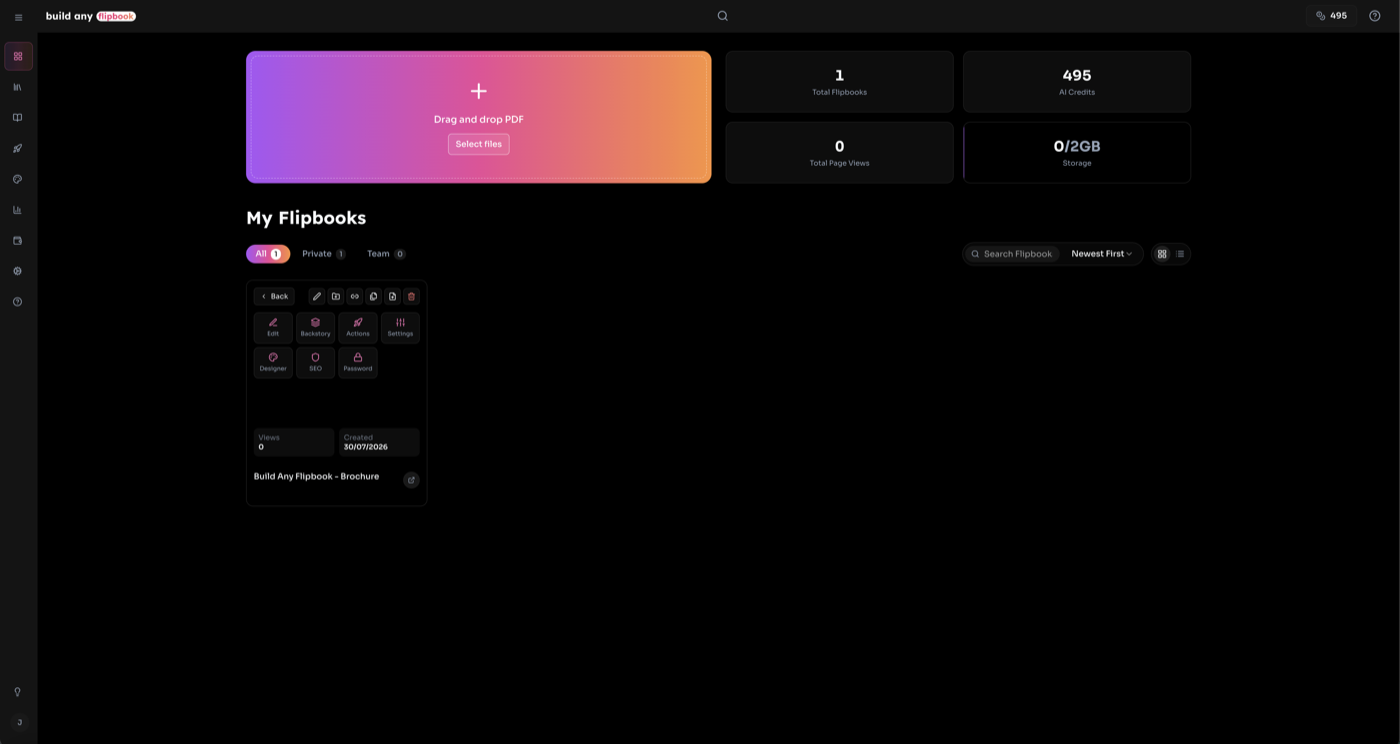
Flipbook thumbnail centre icon click detail view open, dashboard intermediate management screen।
- Live preview: Embedded interactive flipbook viewer all pages।
- Privacy settings: Private/Team visibility toggle, passwords set/change (owner only)।
- Sharing: Flipbook URL copy या full share dialog open।
- Manage actions: Editor, Embed, Analytics, Designer, Add to Collection, Replace PDF, Duplicate, Rename, Delete quick access।
- AI feature toggles: One click AI features (Chat, Summary, Listen, Index, FAQ, Backstory, Glossary, Search, Quiz) enable/disable।
- Stats: View count, page views, AI credits used, creation date।
11.3 Grid & List Views
Dashboard flipbooks browse दो ways:
Grid View
Portrait thumbnail cards hover actions। Features:
- • 3D flip "More" menu action grid stats
- • Hover-only gradient badges (Team, Protected, Chat Protected)
- • Centre gradient "Open" button each thumbnail
- • Hover quick action icons (delete, share, settings)
- • Responsive columns (2-5 screen width)
List View
Compact rows expandable details। Features:
- • Settings icon click row expand
- • Expanded action grid, AI toggles, stats
- • Ownership information badges columns
- • AI feature toggle per flipbook
- • "Configure in Edit Mode" full editor link
12. संपादन मोड
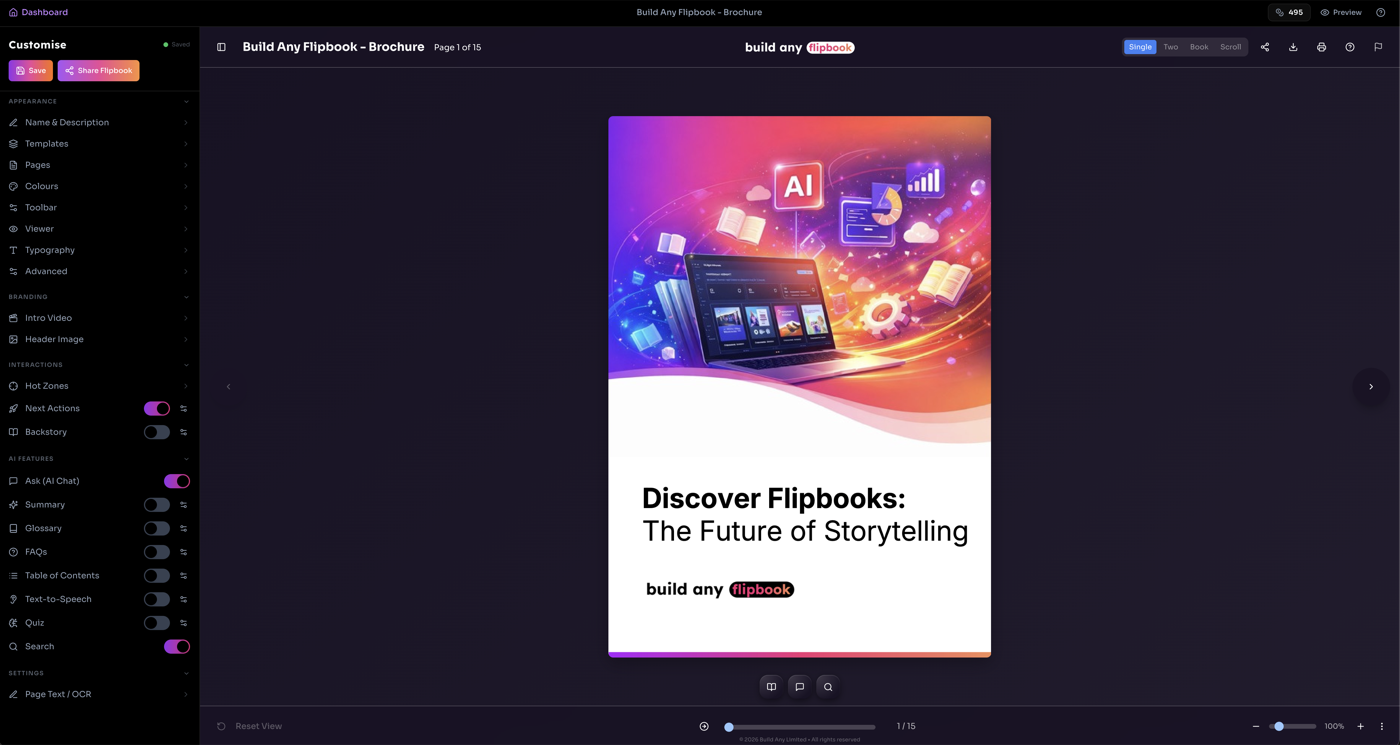
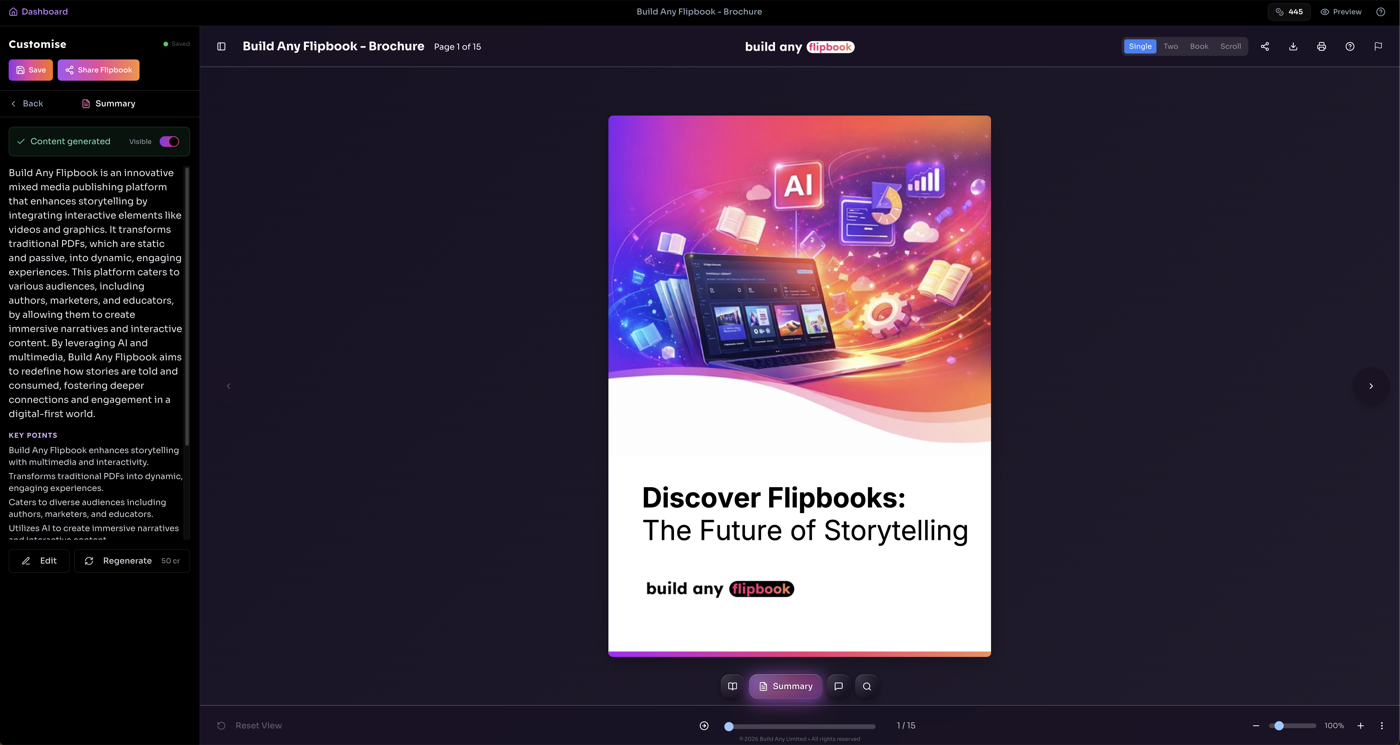
Edit Mode comprehensive editing environment। Detail view या grid/list "Editor" click access। Right live flipbook viewer, left Customise sidebar all editing tools।
Customise Sidebar Sections
- Appearance Name & Description, Templates, Pages, Colours (presets), Toolbar/Background, Viewer, Typography, Sound, Advanced
- Branding Intro Video, Header Image
- Interactions Hot Zones, Avatars, Next Actions (new tab), Backstory (new tab)
- AI Features Toggle rows Chat, Summary, Glossary, FAQs, Table of Contents, TTS, Quiz, Search
- Settings Page Text/OCR editor
Accordion section header expand, menu item deep tab settings। Back main menu। Design changes live preview viewer।
💡 Auto-save: Design changes 1 second auto-save। "Customise" status indicator - amber saving, green saved।
12.1 Design Settings
Customise sidebar visual appearance edit without leaving edit mode। All changes live preview viewer।
| Setting | What it controls |
|---|---|
| Pages | Border radius, shadow depth, page turn animation, spine shadow |
| Colours | Background, toolbar, header, text colours preset themes |
| Background | Solid, gradient, image backgrounds patterns overlay blur |
| Viewer | Toolbar visibility, title toggle, loading screen, spinner, preloader, loading background |
| Typography | Font family, weight, size, title transform |
| Sound | Page turn sound presets custom upload, background music volume loop autoplay |
| Advanced | Custom CSS viewer complete styling control |
12.2 Templates
Templates save reuse design configurations flipbooks।
- Appearance section Customise sidebar Templates open
- Current design named template save
- Saved template apply all design settings update
- Templates standalone Designer page available
12.3 AI Feature Toggles
AI Features Customise sidebar toggle switches every AI feature। Each toggle viewers visibility control।
- Enabled (gradient) = viewers visible
- Disabled (grey) = viewers hidden
- Settings icon toggle editing panel open
- Features auto-enabled first generated
- Disabling hides without deleting generated content
13. Designer
Designer page dedicated visual appearance customisation। Three-column: narrow tab buttons left, settings centre, sticky live preview right।
Designer Tabs
- Colours Background, toolbar, header, text preset themes
- Pages Border radius, shadow, turn animation, spine shadow
- Toolbar Visibility, positioning, content options
- Viewer Logo, title display, loading screen
- Typography Font family, weight, size, title transform
- Sound Page turn sound background music
- Advanced Custom CSS injection
"Current Design" summary card preview active design properties glance। Designer save load design templates।
💡 Tip: Same design settings Edit Mode inline, customise without leaving editor।
14. Access Information
Flipbook Viewer landing page accessible at:
💡 Tip: Flipbook link anyone browser view - no account required!
15. Document Information
Last updated: July 2026 • Back to Build Any Flipbook