

Build Any Flipbook for Canva
Design in Canva and publish as an interactive flipbook in one click. No PDF exports, no separate uploads. AI chat, summaries, text-to-speech, analytics, and custom links all included free.
Available on the Canva Apps marketplace.
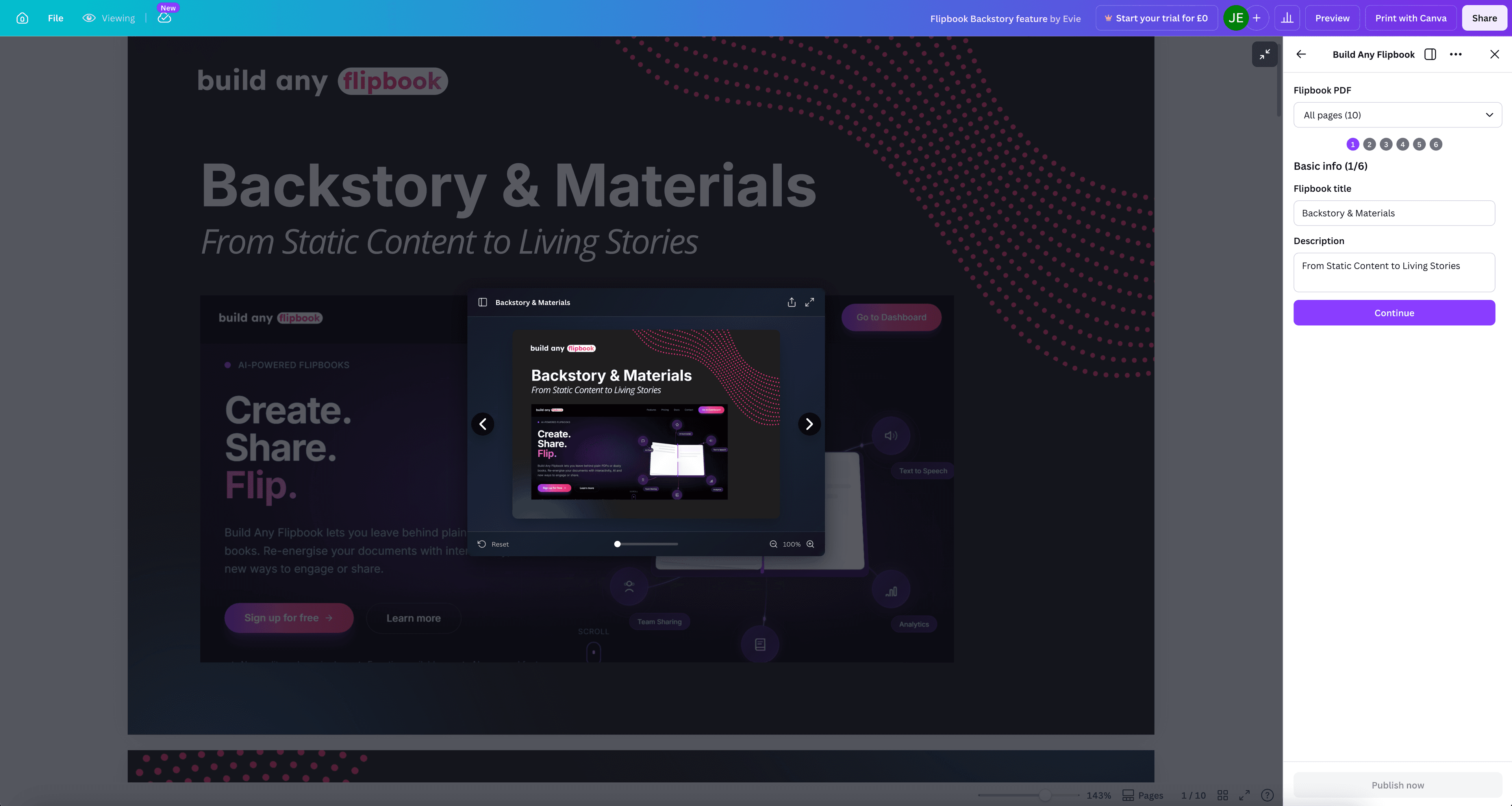
Six steps to a live flipbook
The publish wizard guides you through naming, visibility, toolbar options, passwords, compliance, and review. Then hit publish.
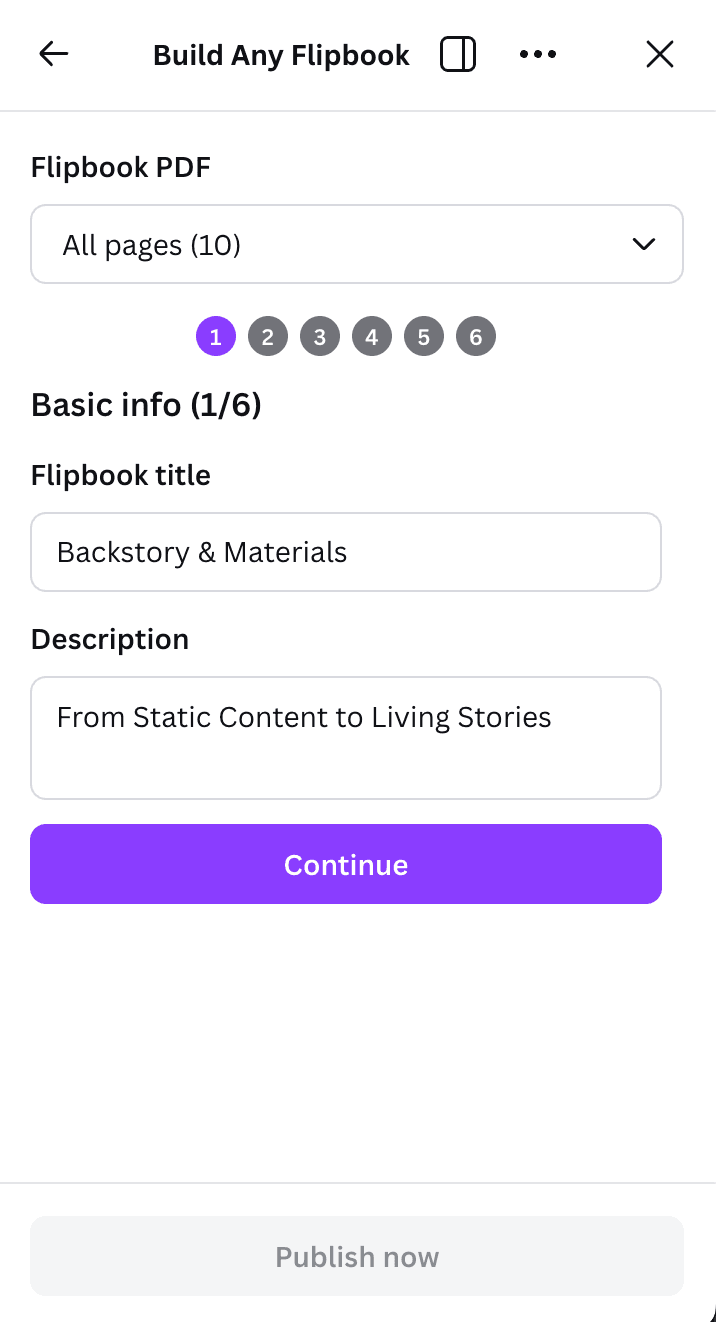
Name your flipbook
Give your flipbook a title and description. The app pulls page count automatically from your Canva design.
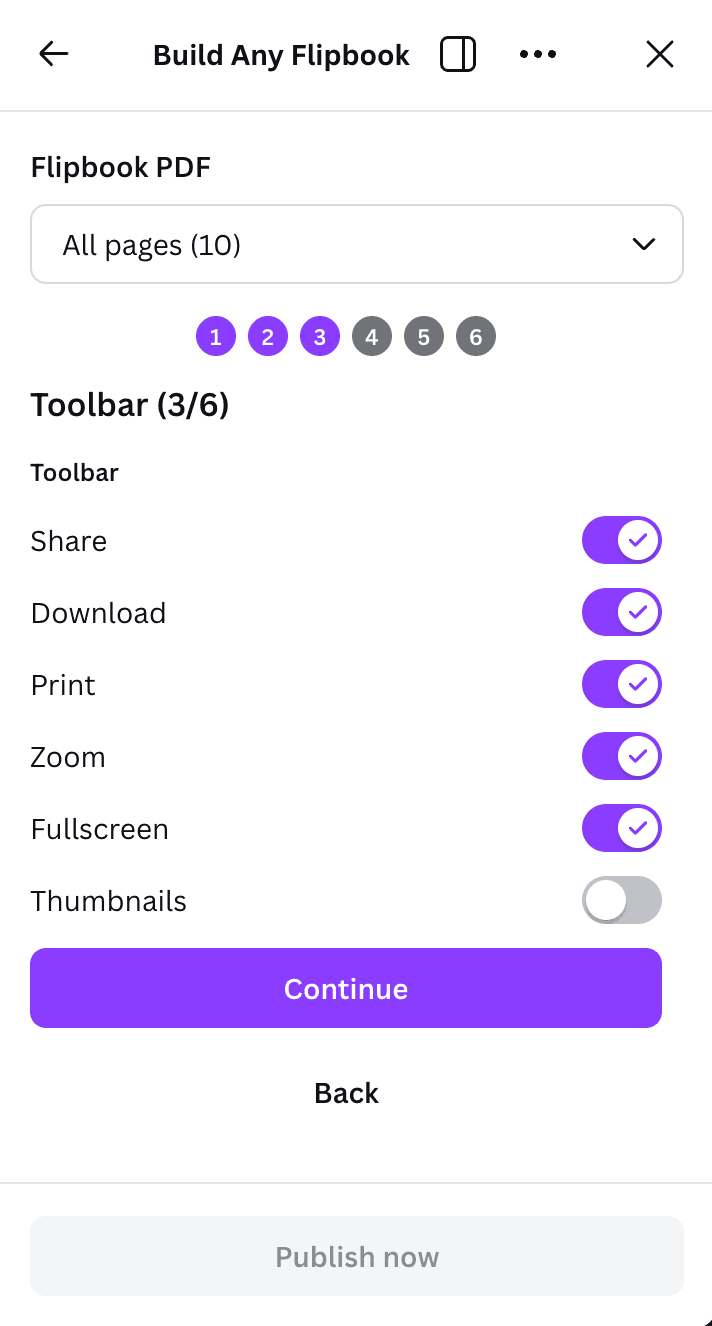
Configure controls
Choose which toolbar buttons readers see. Enable or disable sharing, downloading, printing, zoom, and thumbnails.
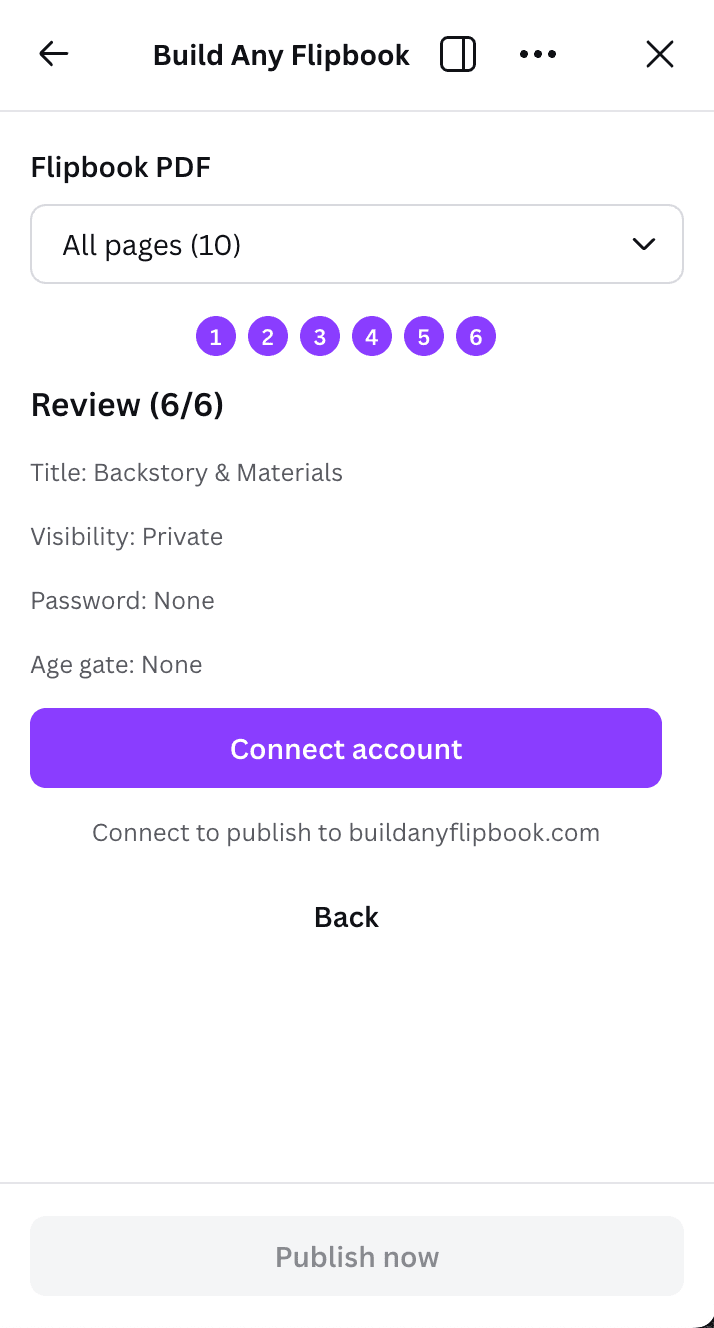
Review and publish
Review your settings, connect your Build Any Flipbook account, and publish. Your flipbook is live in seconds.
The result
A fully interactive flipbook with AI chat, summaries, text-to-speech, and analytics. Published directly from your Canva design.
Why publish from Canva?
The traditional workflow is design, export PDF, upload to flipbook platform, wait for processing. The Canva App removes every step except design and publish.
No PDF export step
Traditional flipbook platforms require you to export a PDF from your design tool, then upload it separately. The Canva App skips both steps entirely.
Faster iteration
Update your Canva design and republish. Your flipbook reflects the latest version without re-uploading anything.
Design where you already work
Your team already uses Canva. The Build Any Flipbook app slots into that existing workflow with zero learning curve.
AI features activate automatically
Published designs get the full suite of AI features. Chat, summaries, glossaries, text-to-speech, and quizzes all work without additional setup.
Everything works out of the box
Publish from Canva and every Build Any Flipbook feature is available immediately. No extra setup required.
AI Chat
Readers ask questions about your content and get instant, cited answers pulled directly from the pages.
Auto-summaries
AI generates page summaries, glossaries, key points, and tables of contents from your design automatically.
Text-to-speech
Neural voices turn your published design into an audiobook. Readers can listen on the go.
Engagement analytics
See who viewed your flipbook, which pages held attention, where readers dropped off, and AI agent visits.
Custom vanity links
Share via flipbook.name vanity URLs. Every account starts with 3 free custom links.
SEO and AI visibility
Crawlable text layer, Schema.org structured data, and LLM-ready Markdown manifests. Your content ranks and gets cited.
PDF upload vs Canva App
Both paths give you the same interactive flipbook. The Canva App just removes the middle steps.
| PDF Upload | Canva App | |
|---|---|---|
| Design tool | Any (export PDF) | Canva (no export) |
| Steps to publish | Design > Export > Upload > Process | Design > Publish |
| PDF export required | Yes | No |
| Manual file upload | Yes | No |
| AI features | All included | All included |
| Analytics | Full | Full |
| Custom links | Yes | Yes |
| Update workflow | Re-export and re-upload | Republish from Canva |